eProctor
Desktop assistant that transcribes class discussions and flags abusive language in virtual classrooms.
Summary
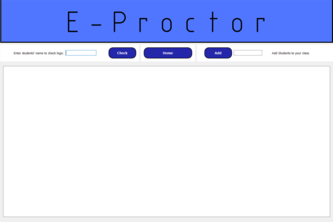
eProctor is a PyQt5 desktop companion that monitors audio from virtual classrooms, transcribes it with the Google Translate speech API, and flags abusive or bullying language before it derails a lesson. It gives teachers a rolling log of warnings so they can address issues immediately while students get nudged when they cross the line.
Highlights
- Built a PyQt5 desktop client with threaded audio capture so transcription runs continuously without freezing the UI.
- Integrated Google Translate’s speech recognition and a curated harassment dictionary to flag phrases within a few hundred milliseconds.
- Wrote a warning system that notifies the speaking student while also logging the incident for the teacher to review inside the app.
- Added Firebase logging so administrators have an audit trail with timestamps, severity, and raw transcripts for follow-up conversations.
Outcome
Took 1st Place at TeenHacksLI Spring 2021 for addressing online classroom safety during the pandemic.
What it does
When a class starts, eProctor sits alongside Zoom/Meet/Teams and listens to student audio, transcribes it, and runs the text through a profanity/abuse classifier. The teacher dashboard shows color-coded entries for each incident and the system can optionally warn students directly. We framed it as a supportive layer on top of existing school policies that already allow session recording.
How we built it
The entire stack is Python. PyQt5 gives us the desktop shell, PyAudio streams microphone input, and the Google Translate API handles multilingual transcription. A GitHub profanity library seeds the first pass at abusive phrase detection and our code wraps it with context-aware filtering and student-specific warnings. Firebase stores incidents so an educator can review trends over time.
Challenges
We initially wanted a React/Node implementation but quickly realized the build velocity would be slower, so we pivoted back to Python. Threading audio capture, speech recognition, UI updates, and Firebase writes without blocking the interface was tricky—we ended up creating separate worker threads and signals for each subsystem.
Learnings & Next Steps
We walked away with better instincts for Python desktop development, especially around threading and packaging third-party APIs. If we had more time we’d harden the classifier, add roster sync, and ship browser extensions so eProctor could run inside lightweight Chromebooks without the full desktop client.